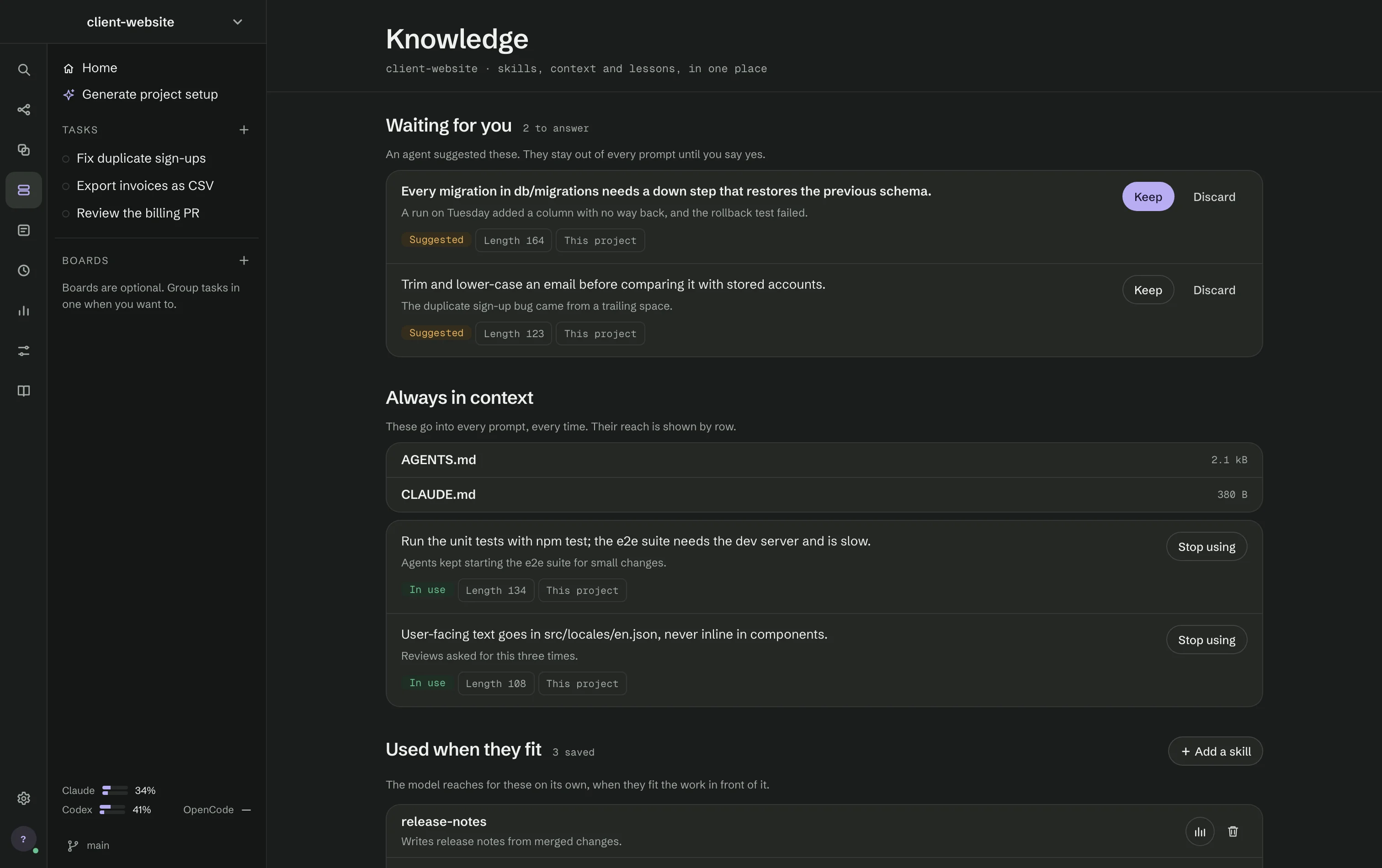
Knowledge (⌘5) holds what agents take into their prompts.
Waiting for you
Notes an agent suggested stay out of every prompt until you say yes. Each shows the rule, why it was suggested, its length, its reach — this project, every project or one agent — and the run it came from. Keep puts it to use; Discard asks once and it does not come back, even if an agent learns it again. Leave Learn from this run on and RigOne keeps up to three suggested notes from each run.
Always in context
The project's instruction files and the notes in use go into every prompt, every time. Stop using takes a note out. When memory is full, RigOne asks which note to stop using first.
Used when they fit
Skills are used by the model when they fit the work. + Add a skill takes a link to read, a skill you write yourself — what it is called, when to use it, what it should do — or a sentence for an agent to write it from. Each skill can be evaluated in the Lab or removed from this project.
What agents passed to each other
The handoffs agents left for each other as steps finished. They are plain files on disk; open them anywhere.