Features

Everything a run needs, in one window

RigOne builds, runs and records workflows for coding agents. Here is what each part does today.

Workflows

Visual workflows

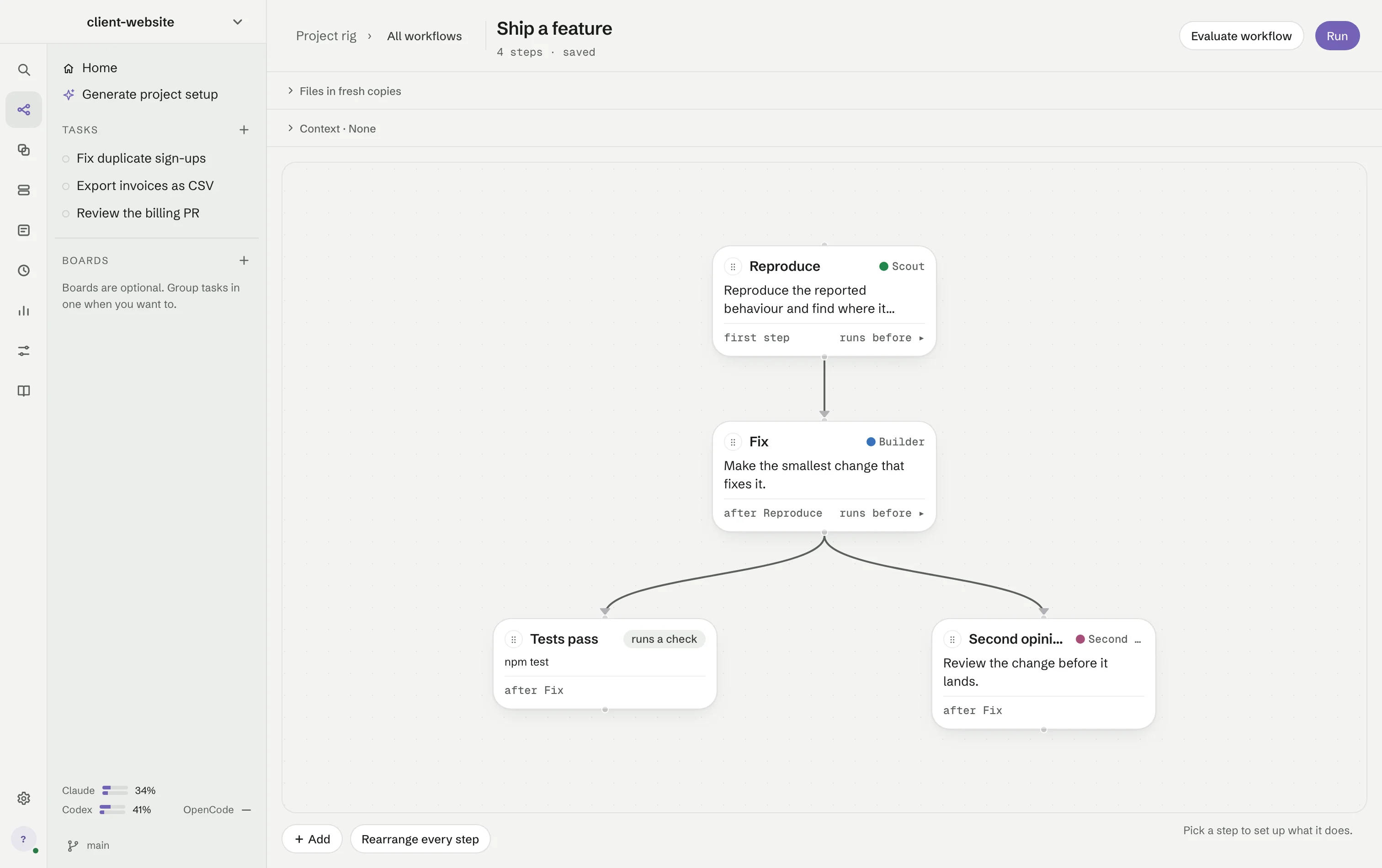
Build a workflow on a canvas and save it as a graph you can run again. A step can be an agent, a check or a checkpoint where you decide.

  • An arrow means “runs after” — order comes from the graph
  • Loops, conditional paths and retries with a limit
  • A step with several arrows in reads every handoff it receives
  • Run several copies of one step (×3) when you want more than one take
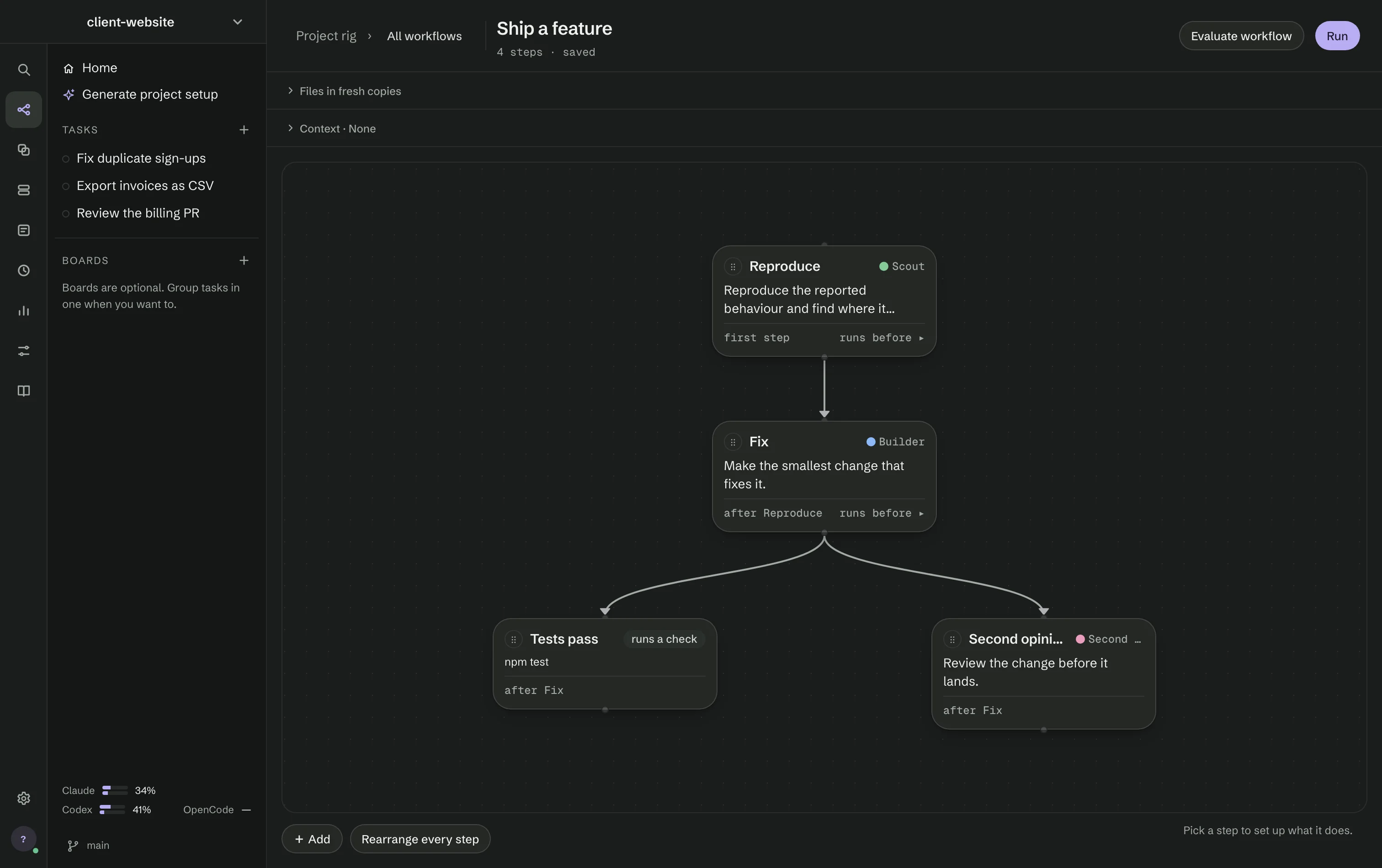
The canvas of Ship a feature: Reproduce, then Fix, then Tests pass and Second opinion side by side.The canvas of Ship a feature: Reproduce, then Fix, then Tests pass and Second opinion side by side.
Execution

Real parallel runs

Independent branches overlap in time instead of taking turns behind a single worker.

  • Choose how many agents may work at once
  • An optional warning when a run reaches an amount you set
  • Models and effort levels are checked against your installed agent app before any step starts
Run screen

A run you can read

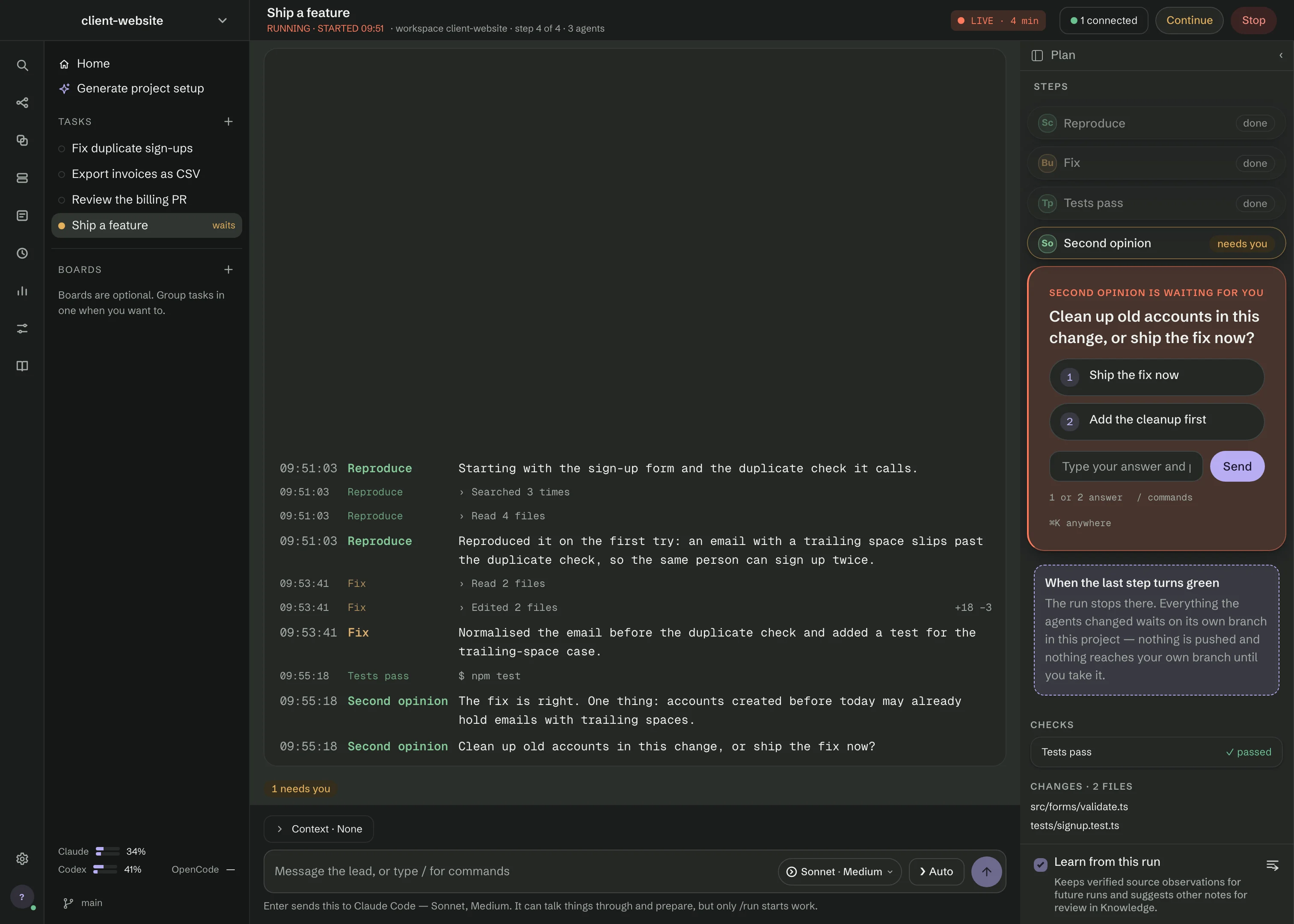
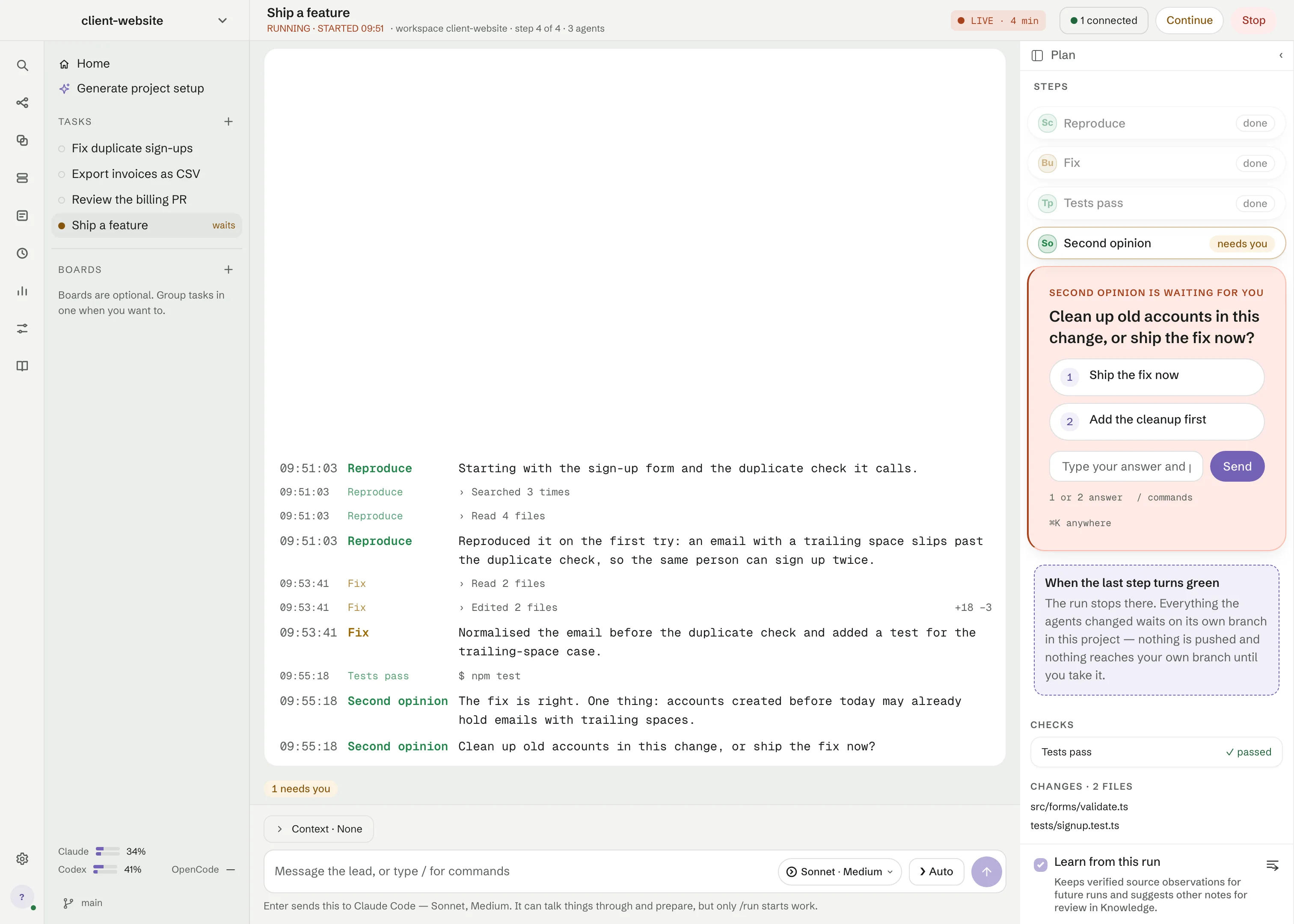
What every agent said, in order, with the question that stopped the run pinned where you will answer it. The plan beside it names the step each card waits for.

  • Questions, spawned commands, output and spend stay together
  • Outcomes say what happened: done, failed, stopped or not run
  • A lead agent can talk things through with you — only /run starts work
  • Your tasks come back after a restart, each with its own conversation
The Tasks screen while Ship a feature runs: what each agent said in the stream, three steps done in the plan on the right, and Second opinion asking whether to ship the fix now or add the cleanup first.The Tasks screen while Ship a feature runs: what each agent said in the stream, three steps done in the plan on the right, and Second opinion asking whether to ship the fix now or add the cleanup first.
Auto

From one sentence to a verified result

Give the Lead a goal. Auto picks the roles and skills it needs, builds ordinary workflows for each part and keeps going until checks and reviews prove the work. RigOne decides when a goal is verified, not the Lead.

  • Every decision that waits for you sits in one list: Needs you
  • Design review: accept the tester’s screenshots, or click a spot and say what should change
  • Waits out a busy provider or a usage limit, then carries on
  • Pause Auto and Resume; up to three goals work in one folder at a time
  • Skip permissions turns full access on or off for the whole Auto run
Agents

Reusable agents

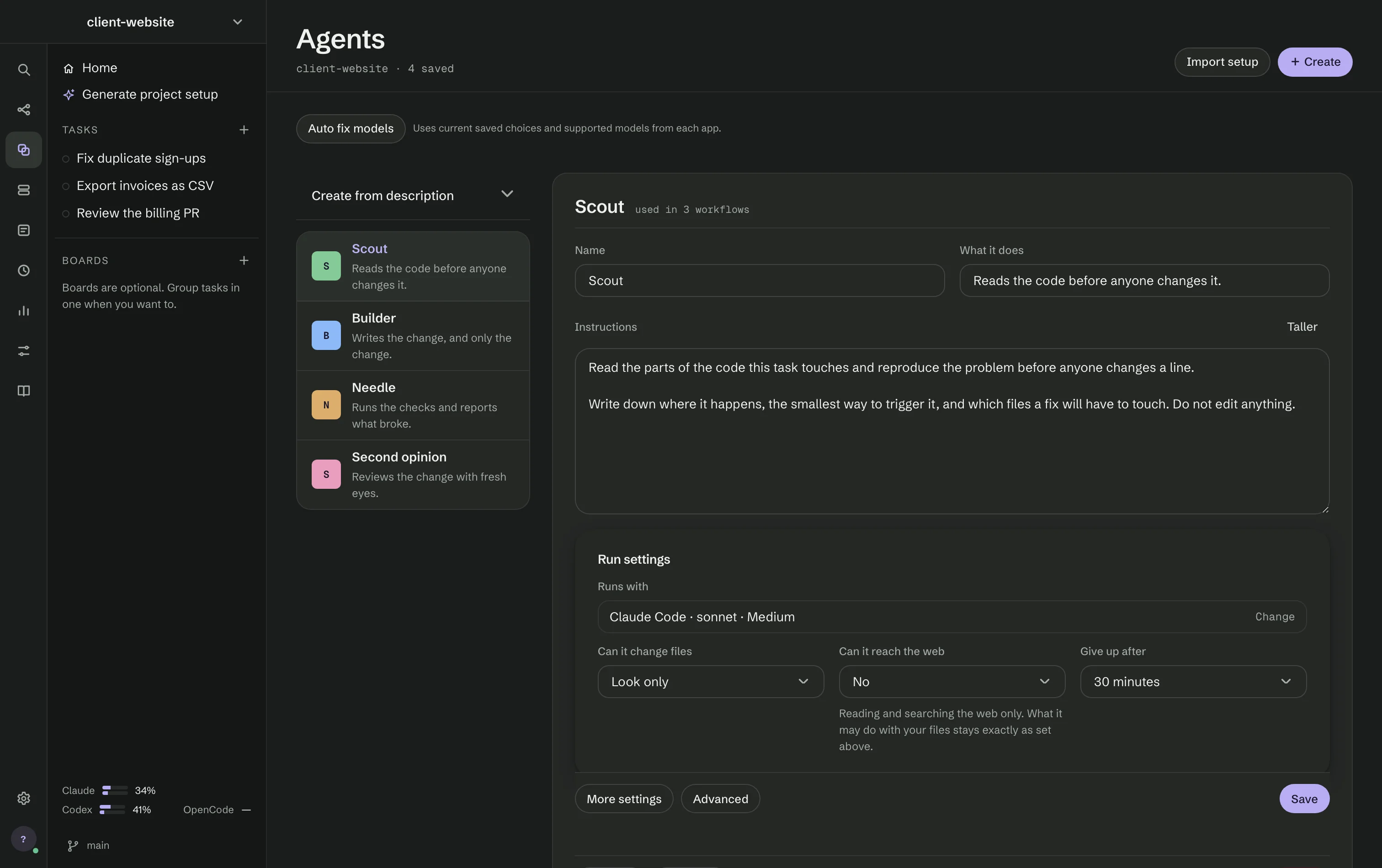
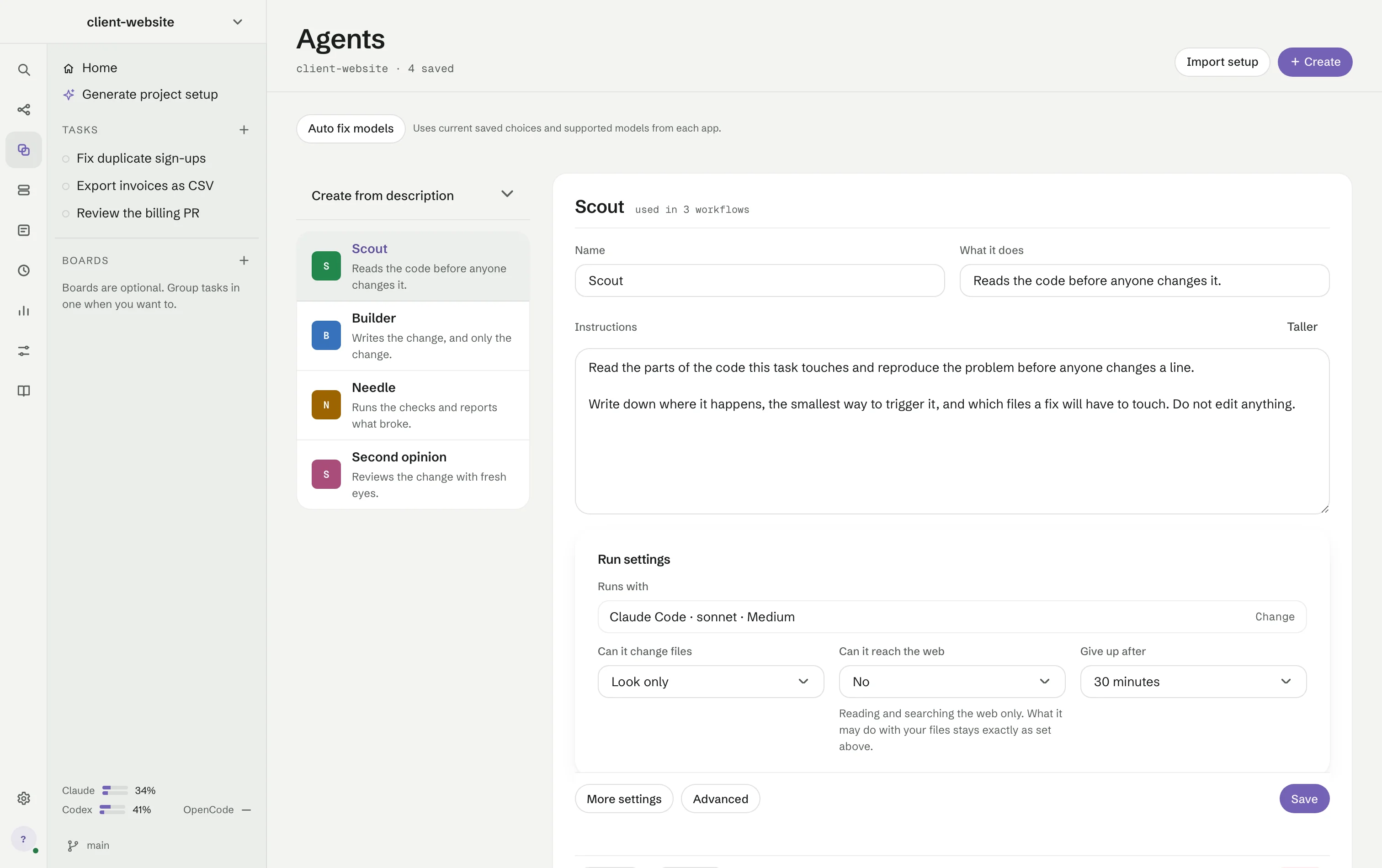
Define a role once and reuse it in every workflow. The whole role — its words, its model, its file access — is on screen when you open it.

  • Claude Code, Codex or OpenCode, with model, effort, timeout and web access
  • File access from “look only” upwards
  • Tool servers (connections) and skills picked from what the project has
  • A model gateway of your own, or a local model through Ollama
  • Import a setup from another project without copying secrets or history
The Agents screen: four roles in a list beside Scout, which runs with Claude Code and reads the code before anyone changes it.The Agents screen: four roles in a list beside Scout, which runs with Claude Code and reads the code before anyone changes it.
Project rig

One page for the whole project

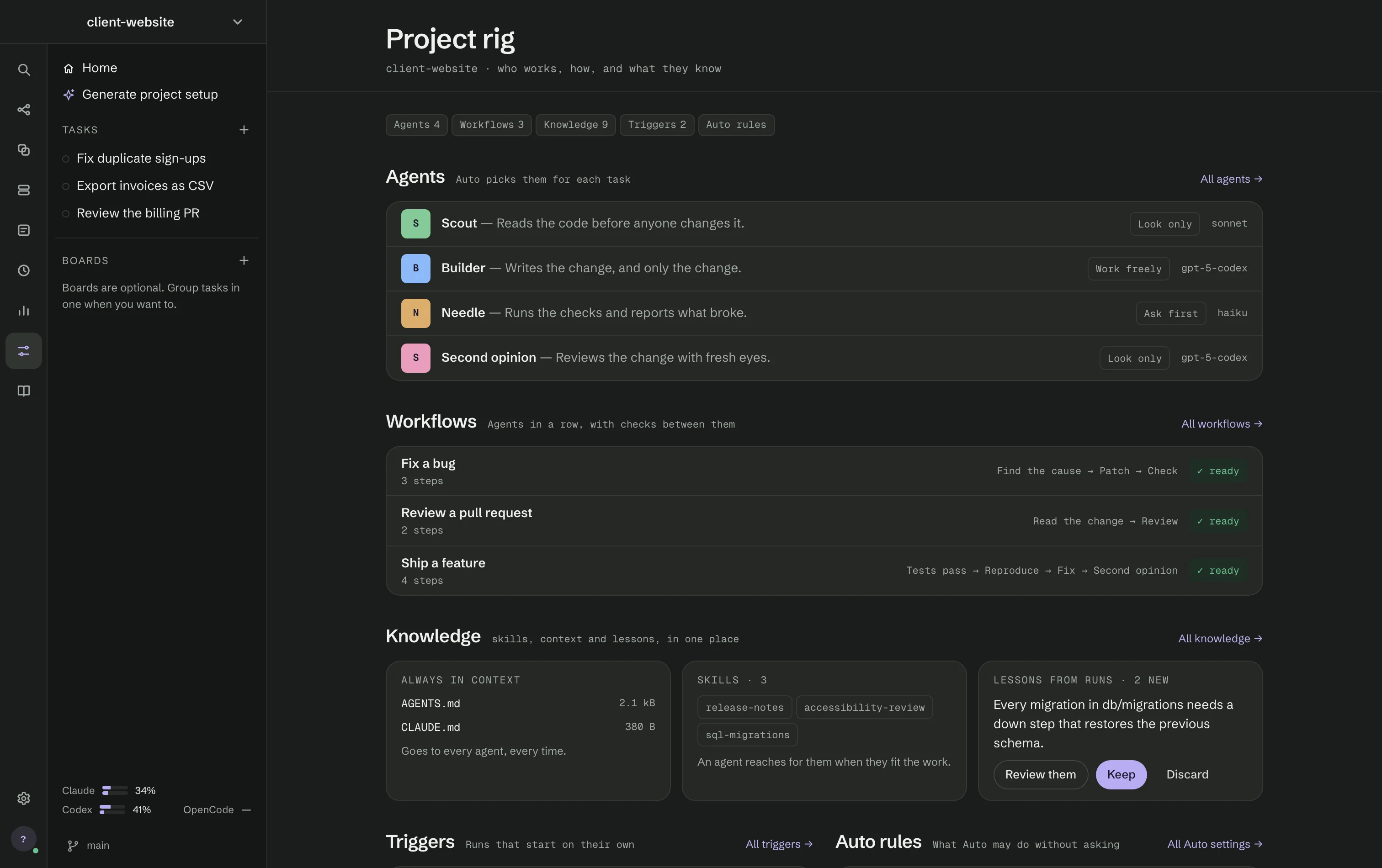
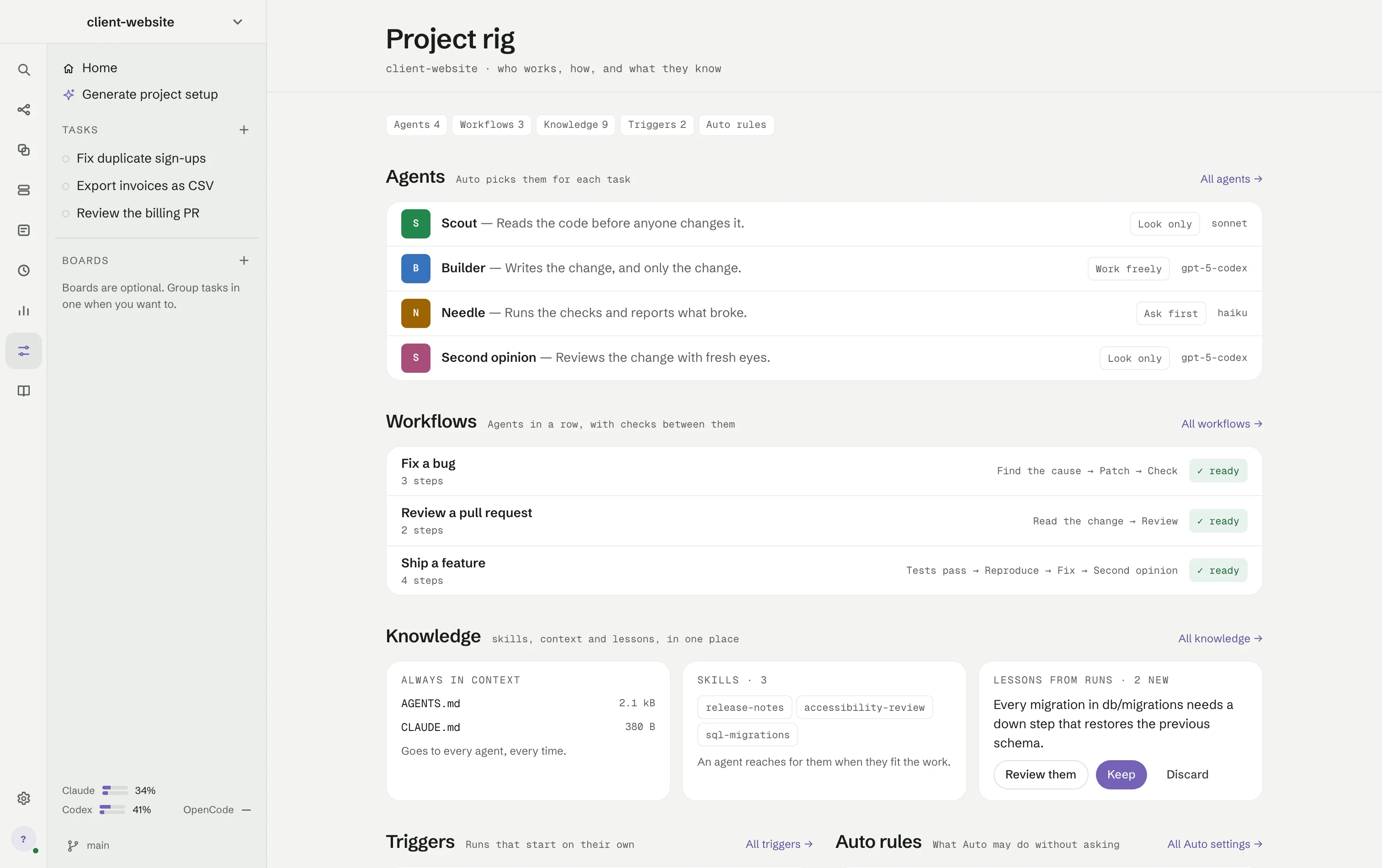
Who works in this project, how, and what they know: its agents, workflows, knowledge, triggers and Auto rules side by side.

  • Generate project setup drafts agents and workflows from the repository; nothing changes until you choose Apply
  • A workflow that needs a change says so, with Fix where RigOne can do it
  • New lessons from runs wait here for Keep or Discard
Project rig for client-website: four agents with their file access and model, three ready workflows, the knowledge cards and the Auto rules.Project rig for client-website: four agents with their file access and model, three ready workflows, the knowledge cards and the Auto rules.
Knowledge

Project-scoped knowledge

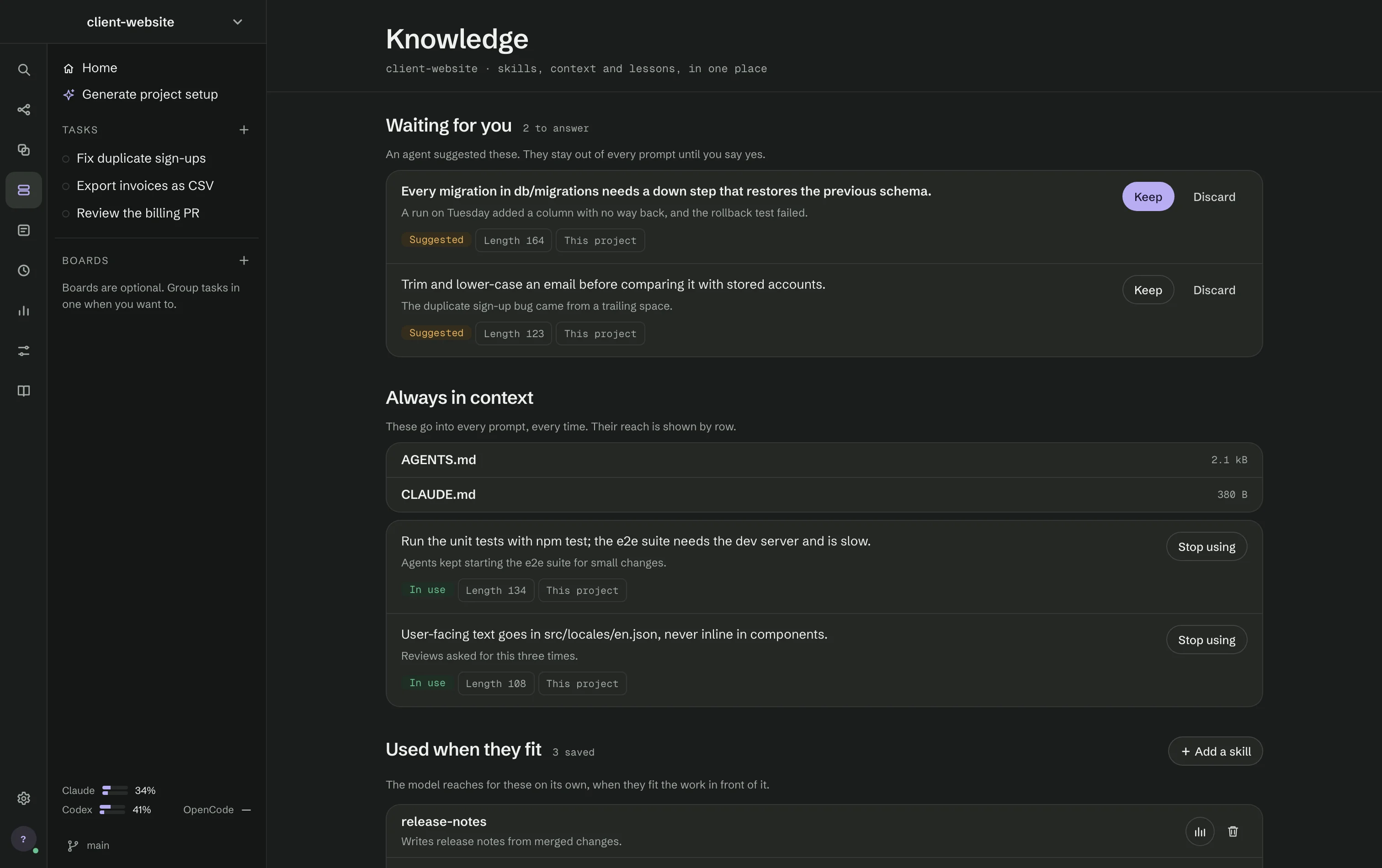
Notes and skills live on disk with the project. A note an agent suggests only reaches a future prompt after you approve it.

  • Notes go into every prompt; skills are used when they fit the work
  • Skills lists what the project’s .claude/skills and .agents/skills give its agents
  • Named context sets from text, Markdown, images and PDFs
  • See which context a run actually used
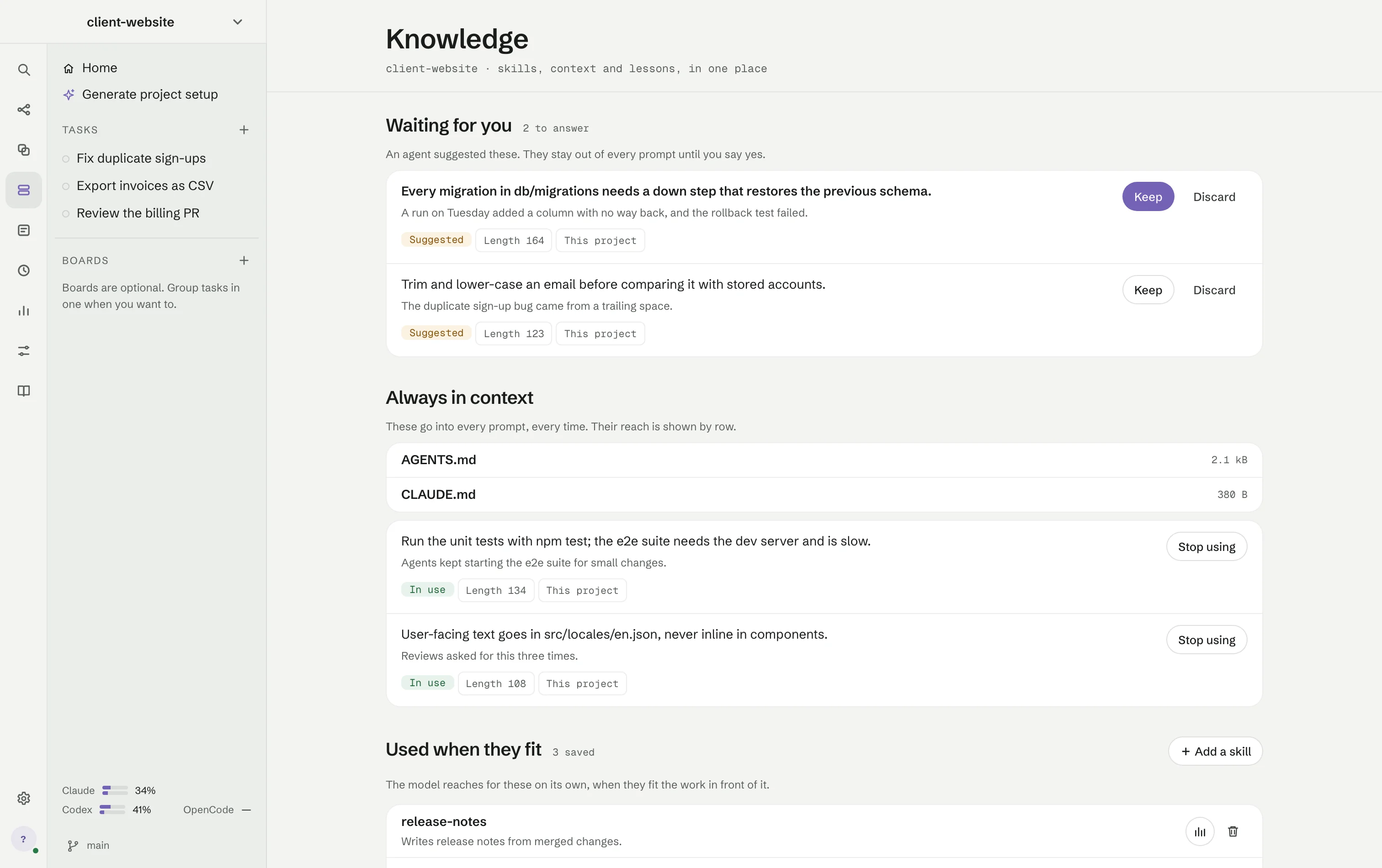
The Knowledge screen: two suggested notes waiting for you, two notes always in context and three skills used when they fit.The Knowledge screen: two suggested notes waiting for you, two notes always in context and three skills used when they fit.
Checks

Checks RigOne runs itself

When a step finishes, RigOne runs the checks — it does not ask the agent whether it worked. What the agent said, what the checks found and what you approved are never confused.

  • “Nothing ran” is its own outcome, never a pass
  • A second opinion from another vendor can raise concerns, but never approve
  • The same error twice stops the retries
Workspaces

Changes wait on their own branch

Each step works in its own copy of your code, so agents cannot trip over each other. When the run ends, the work waits on a branch in your project.

  • Nothing is pushed
  • Nothing reaches your own branch until you take it
  • A real conflict names the branches where the work is kept
Boards

Shared boards, encrypted on your Mac

Tasks, comments and members on a Kanban or sprint board. Start a task as a workflow or an Auto goal in a folder on this Mac, and its progress shows on the board for everyone.

  • Encrypted and signed on your Mac; the server only relays ciphertext
  • Invite members as Editor or Viewer, and approve every new device
  • Short task numbers, a task history and Run with Auto on each card
  • Works offline and sends changes when the connection returns
  • Needs a MonoOne account, as Remote access does
Remote access

Your runs, from your phone

Pair a phone or tablet with a code and follow your work from anywhere: answer what waits in Needs you, start an Auto goal, message the Lead or stop work.

  • Face ID or Touch ID is always on
  • Writing outside a copy and full Auto access are approved only on the Mac
  • Choose which projects are available, and revoke a device at any time
  • Needs a MonoOne account, as Boards does
Triggers

Triggers and recovery

Start a workflow when a Linear issue is assigned to you, checked every 1, 5, 15 or 60 minutes. Interrupted work is recovered through the same start path, not a second engine.

  • One issue starts one run, even after a restart
  • The API key is written once and never shown again
  • Deleting a trigger cancels what was waiting, visibly
Lab

Try an agent on your own code

Pick an agent and RigOne drafts test cases from your project, so you can see whether a change to that agent made the work better.

  • Cases come from your code, not a generic benchmark
  • Compare an agent before and after you edit it
Evidence

Evidence that outlives the terminal

Every run leaves a folder you can open: what each step handed over, the full answers, logs and a results file.

  • Run receipts and full attachments for long answers
  • Proof that cancelled processes are really gone
  • A diagnostic bundle you can copy in one click
Built to fail honestly

Failures are product failures, not terminal noise

What RigOne refuses to do quietly.

  • Overlapping write scopes are refused before the first process starts.
  • Cancellation ends the whole process group and then verifies that it is dead.
  • Timeouts go through the same supervised shutdown as cancellation.
  • Prompts and secrets go through stdin, never command-line arguments.
  • Child environments are rebuilt from an explicit allowlist.
  • Unknown vendor events are recorded and ignored instead of crashing the run.
  • A green exit code without proof that tests ran is not accepted as a green check.
  • Files are the source of truth; the SQLite index can be deleted and rebuilt.

Put your agents on one canvas

Free for Apple Silicon Macs. Signed with Apple Developer ID and notarized by Apple.

Needs Claude Code, Codex or OpenCode installed and signed in. How it compares