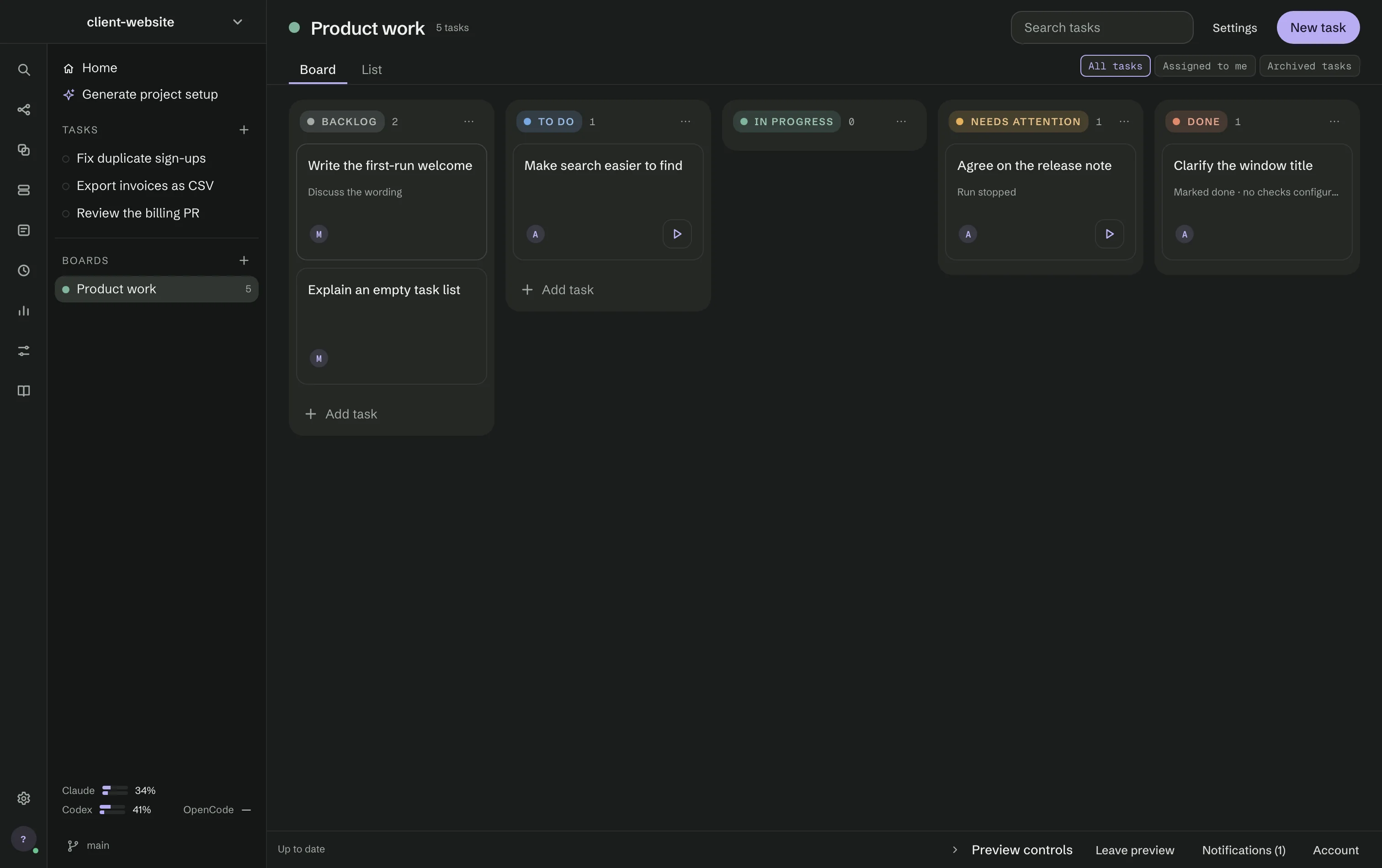
Boards (⌘9) holds shared boards of tasks, with comments and members. It works without choosing a folder, and together with Remote access it is the only part of RigOne that needs an account: sign in to your MonoOne account in Boards or Settings → Account. An IndexOne account signs in with the same email and password. Explore a preview opens a demo board without an account.
- Encrypted on your Mac. Tasks, comments and activity are encrypted and signed before they leave your Mac; the server only relays ciphertext. Board keys are kept in the macOS Keychain.
- Members and devices. Invite people by email as Editor (changes tasks and posts) or Viewer (reads). Before a new member or device receives a board key, both sides compare the same fingerprint.
- Offline. Changes made without a connection wait on this computer and are sent when it returns.
Board and List
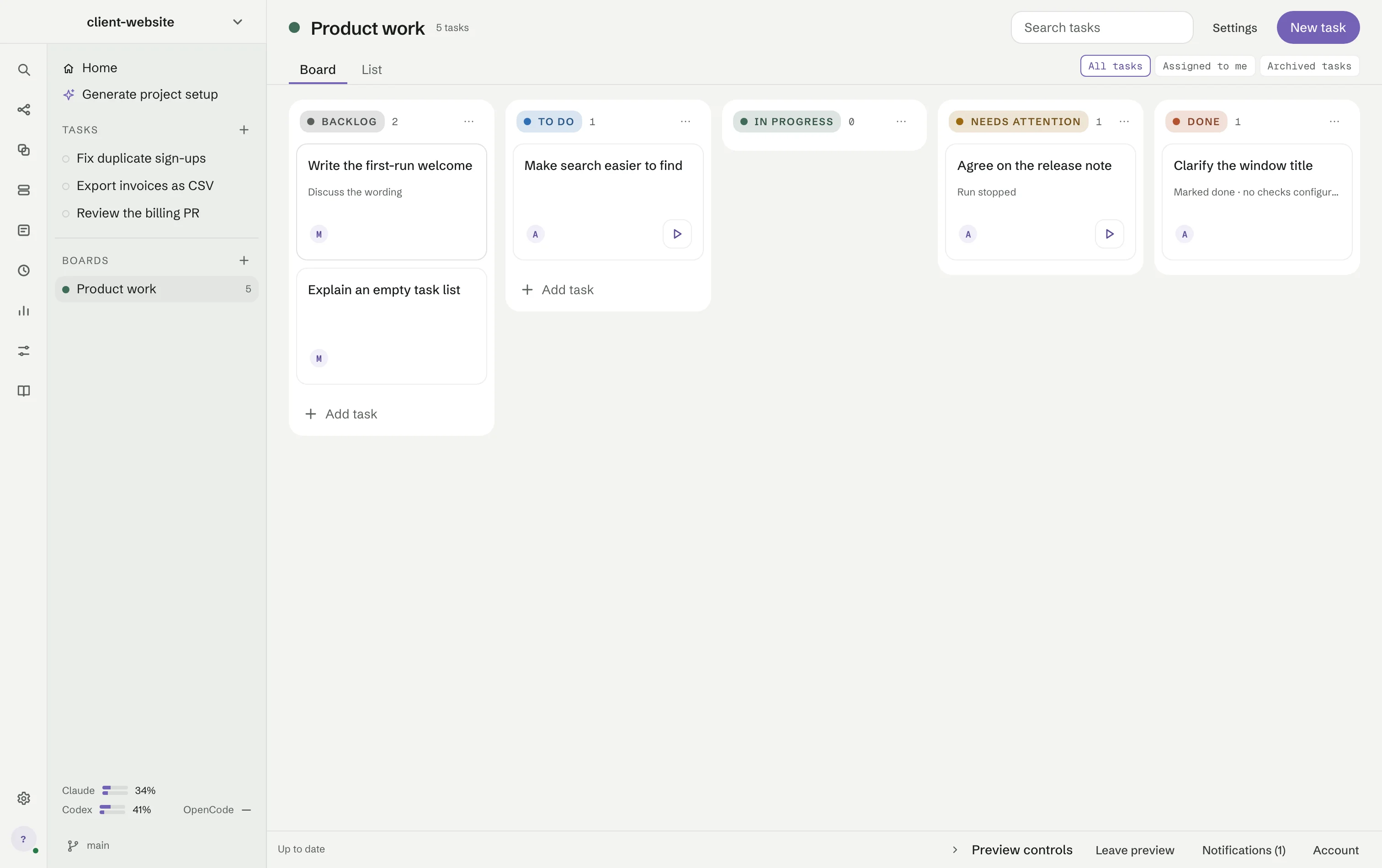
A board has two views. Board shows columns — by default Backlog, To do, In progress, Needs
attention and Done — and cards you drag between them. List shows the same tasks as a table with
assignees, due date, priority and the latest run. All tasks, Assigned to me and Archived
tasks filter both. Each task gets a short number such as PRO-12.
A task
Opening a task shows its properties — status, assignees, due date, priority, tags, what it depends on, the repository, workflow and model — its description, What will show it worked, and subtasks. Activity keeps the comments and a task history of who created it, checked subtasks and started runs; Runs keeps what ran.
Run a task from its board
Run with Auto on a card, or the Runs tab of a task, starts it as a saved workflow or as an Auto goal in a folder you choose on this Mac. One computer claims the task; a second start elsewhere is refused with the name of the device that runs it. Progress and the final status appear on the board for every member. A question from the agent appears in the task: a member who can edit the board answers it there, and RigOne passes the answer to the run exactly once. While an Auto runs on your Mac, a comment can go To Auto (steer the work) instead of To the team.